Floating point numbers are disabled in Microchip Studio on small AVR platforms because this causes the controller’s memory to be exceeded under heavy use. But it is possible to enable floating-point numbers if needed (on platforms that have sufficient program memory space).
To activate the
printf/scanffunctionality for floating-point numbers the linker arguments need to be extended!
Settings can be done in Microchip Studio within the Project Properties:
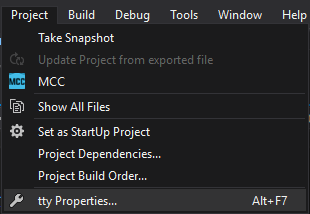
In the submenu
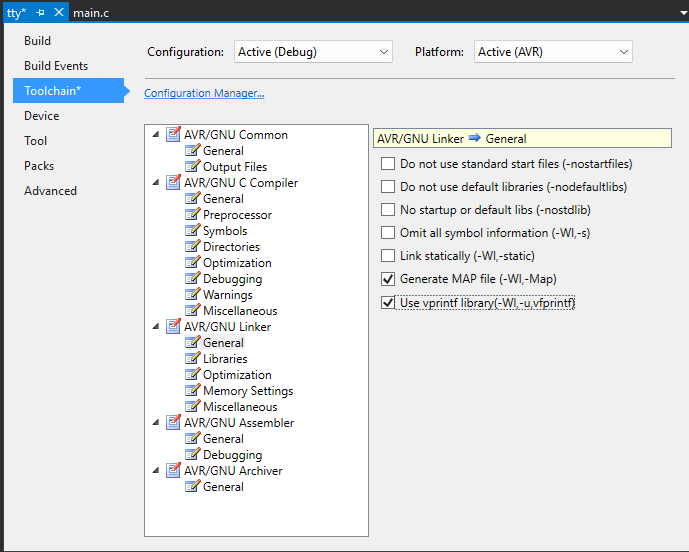
Linker -> General, check the boxUse vprintf library.
The printf and/or scanf libraries must then be added to the Linker -> Libraries.
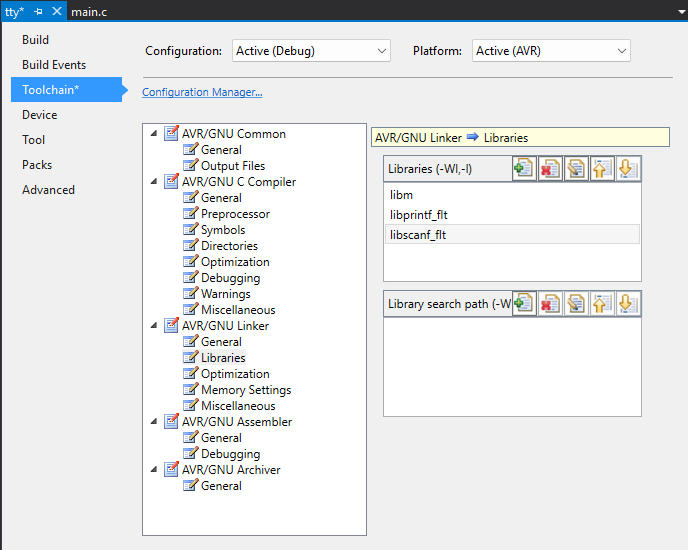
# -> for printf floating point operations
libprintf_flt

# -> for scanf floating point operations
libscanf_flt
In the Linker -> Miscellaneous the following flags have to be added:
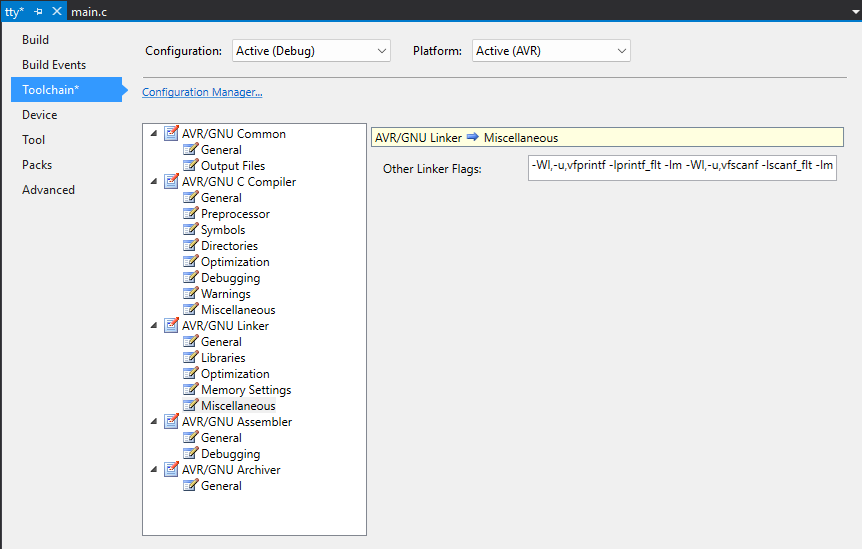
# -> for printf floating point operations
-Wl,-u,vfprintf -lprintf_flt -lm

# -> for scanf floating point operations
-Wl,-u,vfscanf -lscanf_flt -lm

# -> for printf and scanf floating point operations
-Wl,-u,vfprintf -lprintf_flt -lm -Wl,-u,vfscanf -lscanf_flt -lm
To get things work, save the modifications and rebuild the project!
After all it should now be possible to work with printf/scanf:
printf("Please enter a floating-point number: ");

float number;

if(scanf("%f", &number) == 1)
{
    printf("\n\n\rThe result of %f * 5.23 equals: %f\n\n\r", number, (number * 5.23));
}